Company
A Startup in Singapore
Role
Product Designer
Team
1 x Product Manager
1 x Frontend Developer
1 x Backend Developer
1 x Product Designer (Me)
Duration
6 Months; Fixed Term
Contribution
Strategic Product Evolution (1 → N)
Mental Model Research & Synthesis
Design System
Brand Identity
Impact
Modernised a legacy enterprise software into a scalable and intuitive workspace, successfully reducing training overhead and cognitive load for schema designers within a strict 6-month delivery window.
Optimising Workflow & Ensuring Greater Accuracy for Database Schema Designers
Schemata*, a tool for managing database schema, is central to the company’s operation. It serves as a foundation for maintaining a relational database schema that is primarily designed to support network analysis.
*To respect project confidentiality, certain technical specifics and proprietary data have been generalised or omitted. some details are kept intentionally high-level. The focus of this case study remains on the underlying interaction logic and system transformation.
Context
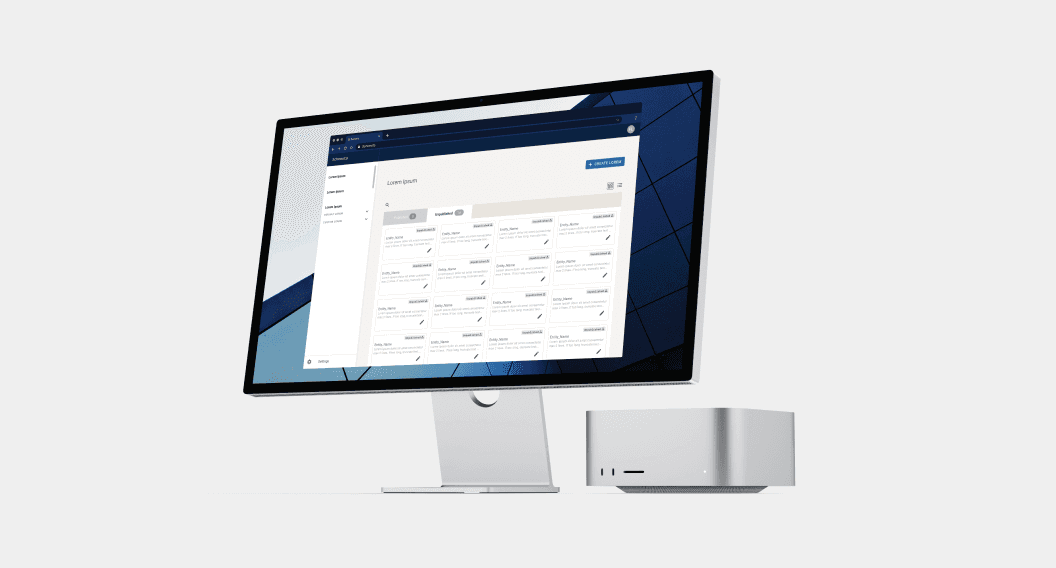
The primary objective of this project was to modernise a critical legacy system, transforming a clunky, technical jargon-heavy interface into an intuitive experience for both new and existing users. By shifting away from an environment constrained by outdated infrastructure — specifically a dependency on dated web browsers and a non-responsive, fixed-width architecture — we aimed to eliminate the "expert-only" barrier to entry.
A significant business driver was the reduction of extensive user training and onboarding costs. The original jargon-heavy system forced a high cognitive load on designers, who had to manually inspect dense table views to understand the system state and how specific entities are related to each other from a network analysis perspective.
Within a strict 6-month delivery window, I delivered a scalable, human-centric workspace that bridges the gap between complex data management and modern brand identity — all without reinventing the wheel.
Problem
Discovery
The existing tool experienced several issues: an inconsistent and non-intuitive user interface; use of technical jargon and complex terminology; and a lack of documentation leading to user frustration and increased risk of errors and system misuse.
During the initial stages of the project, I conducted a heuristics review of the existing tool. Some of the key challenges identified included:
Usability Concerns: The use of inconsistent components, along with issues related to responsiveness, accessibility, and navigation.
Technical Jargon and Complex Terminology: Some features were challenging to understand due to the use of technical jargon, and the accompanying documentation was inadequately prepared.
Scalability Issues: Without a design system in place, the product was not optimised for future scalability, potentially hindering expansion and growth.
Key
Constraints
Restricted User Access: A primary challenge was the lack of direct access to database designers for primary interviews due to strict corporate confidentiality measures. While internal users were available for testing, external project team access to the core user base was restricted.
Fixed Delivery Timeline: All research, design system development, and feature prototyping had to be completed within a strict 6-month window with no possibility of extension. This necessitated a pragmatic approach — leveraging established frameworks like Material Design to ensure we met the deadline without sacrificing system scalability.
Methodology & Strategic Approach
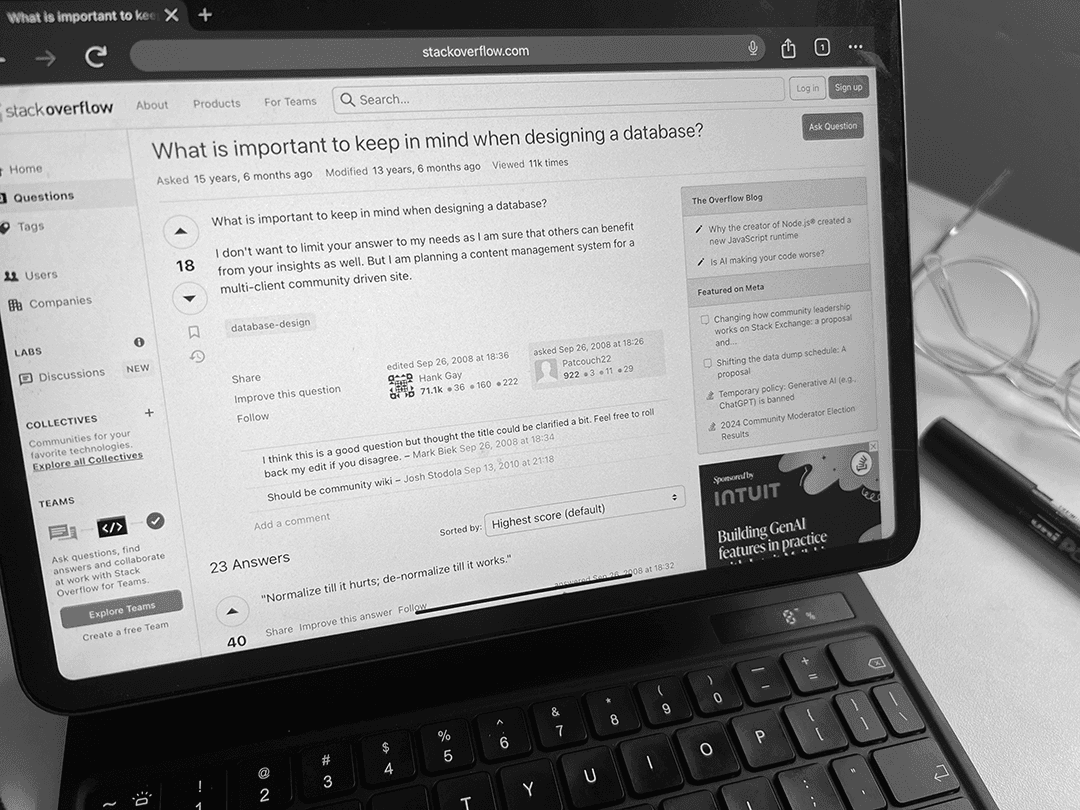
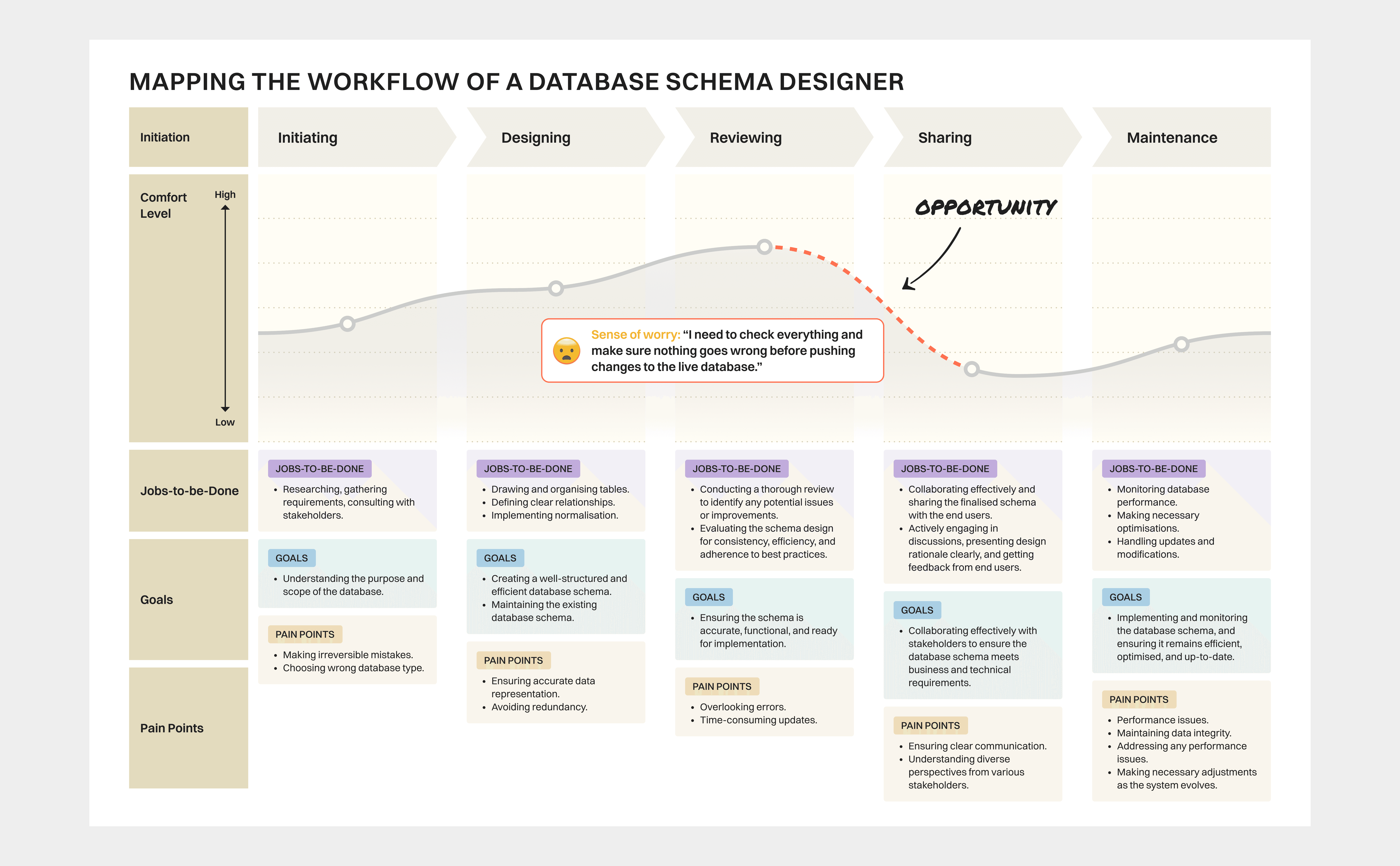
Mapping the Users' Mental Models and Top-of-Mind through Secondary Research: Since I could not talk to users directly, I had to be careful not to just guess what they needed or what pain points they face. I scoured online communities such as Stack Overflow and Reddit as well as competitive offerings to make sure my mapped mental model was based on real-world evidence as much as possible. All this research provided valuable insights into the challenges and considerations that these designers face, which greatly informed my design iterations and improvements for the product.
Despite this limitation, efforts were made to ensure rigorous testing with internal stakeholders and team members for feedback and validation.
Validating Assumptions: To gather initial feedback on the proposed design features, I conducted internal testing with the product team members. While they are not actual end users (i.e. the database schema designers themselves), their insights and feedback provided a preliminary understanding of the usability and effectiveness of the proposed features. Based on this feedback, the original designs were iterated and refined to better align with the needs and preferences identified during the internal testing phase.
However, it is important to note that their perspectives may not fully represent the needs and preferences of the end users, introducing limitations to the methodology employed. The team acknowledges this potential limitation and took it into careful consideration when interpreting the findings and outcomes.
Key Discovery & Iteration
Clearer, More Confident Design Choices Post-Team Chat
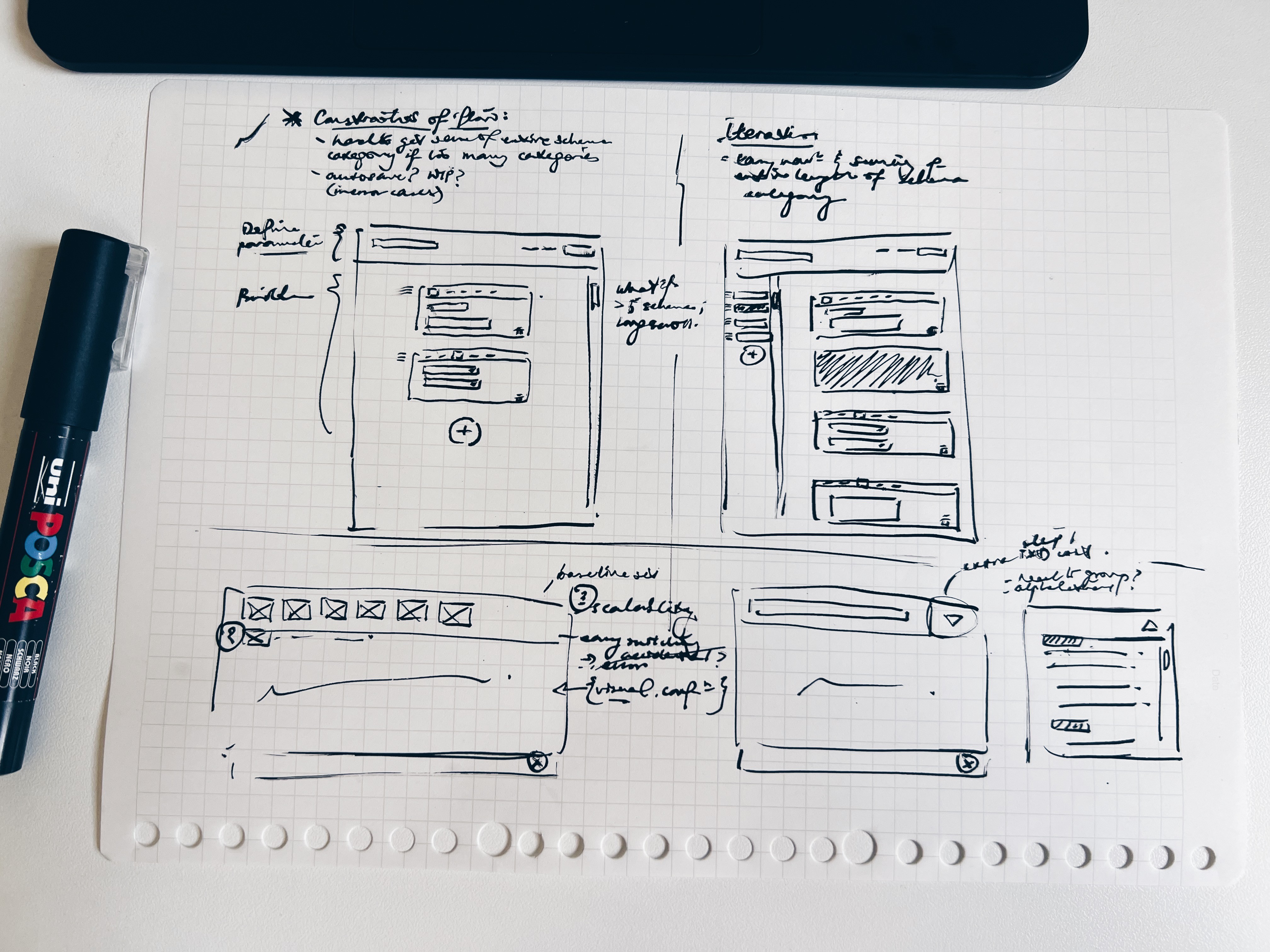
Rounds of feedback gathering with the internal team also informed iterations that seek to further enhance the user experience and streamline the workflow, which is to increase the confidence of these schema designers each time they are seeking to push any changes to the schema.
This is an act not easily reversible as it impacts thousands of existing records in the database. Such an insight gave me greater clarity to move towards a design option that introduces a deliberate layer of friction that requires the schema designers to thoroughly review all changes first before publishing them to the database.
HMW better enhance the confidence of database schema designers just as they are about to finalise and publish their proposed edits to the database?
This translates to a primary goal of enabling database schema designers to visualise and review their changes in real-time, boosting their confidence and minimising the risk of irreversible errors.

Design Transformations & Rationale
01
A More Modernised and Intuitive Schema Workspace
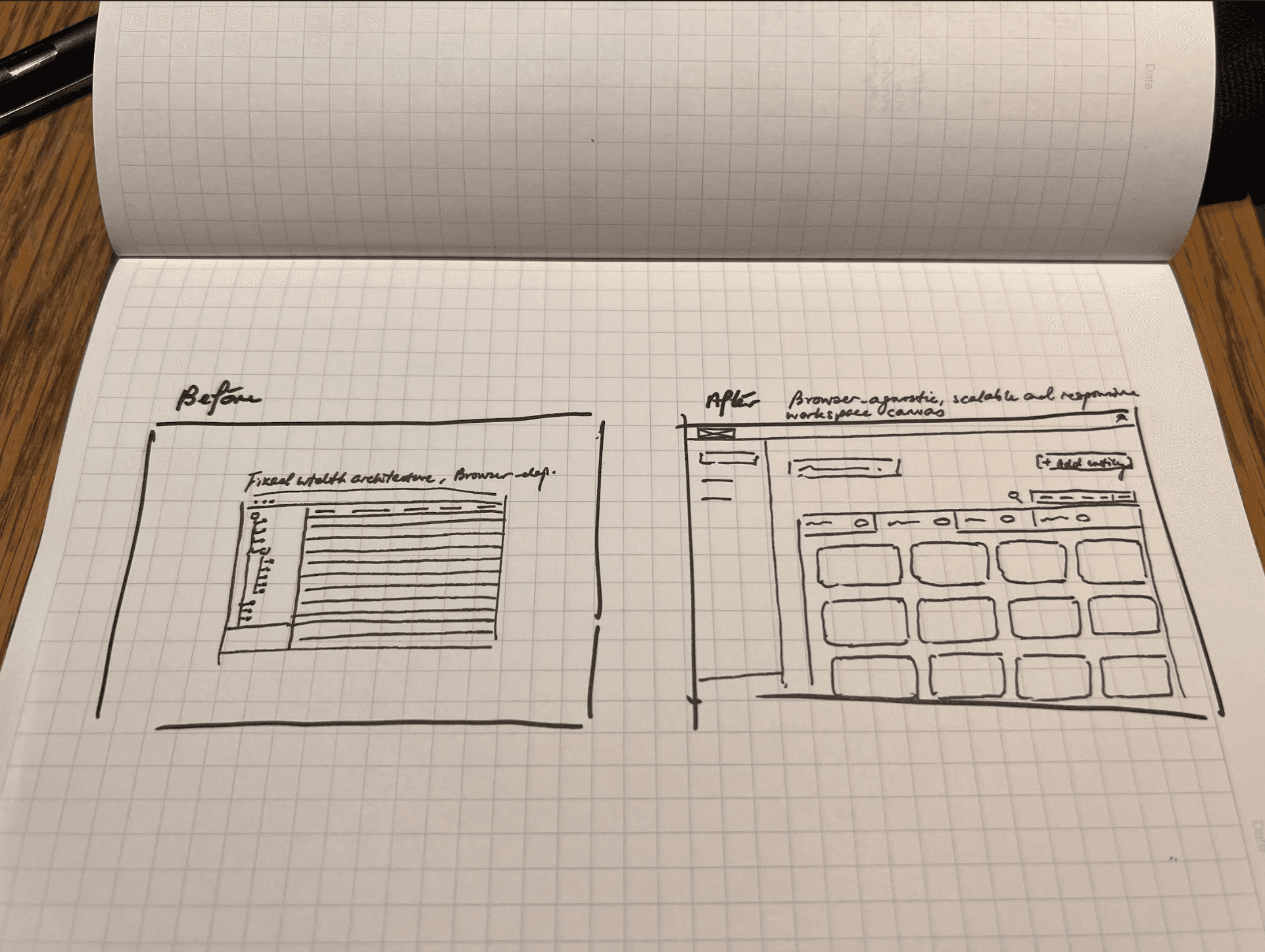
The original interface was characteristic of legacy enterprise software — constrained by a dependency on outdated web browsers and a non-responsive, fixed-width viewport. The experience was jargon-heavy and hence somewhat esoteric at times, necessitating extensive manual training for designers to navigate information-dense table views that oftentimes demand a high cognitive load.
Transformation
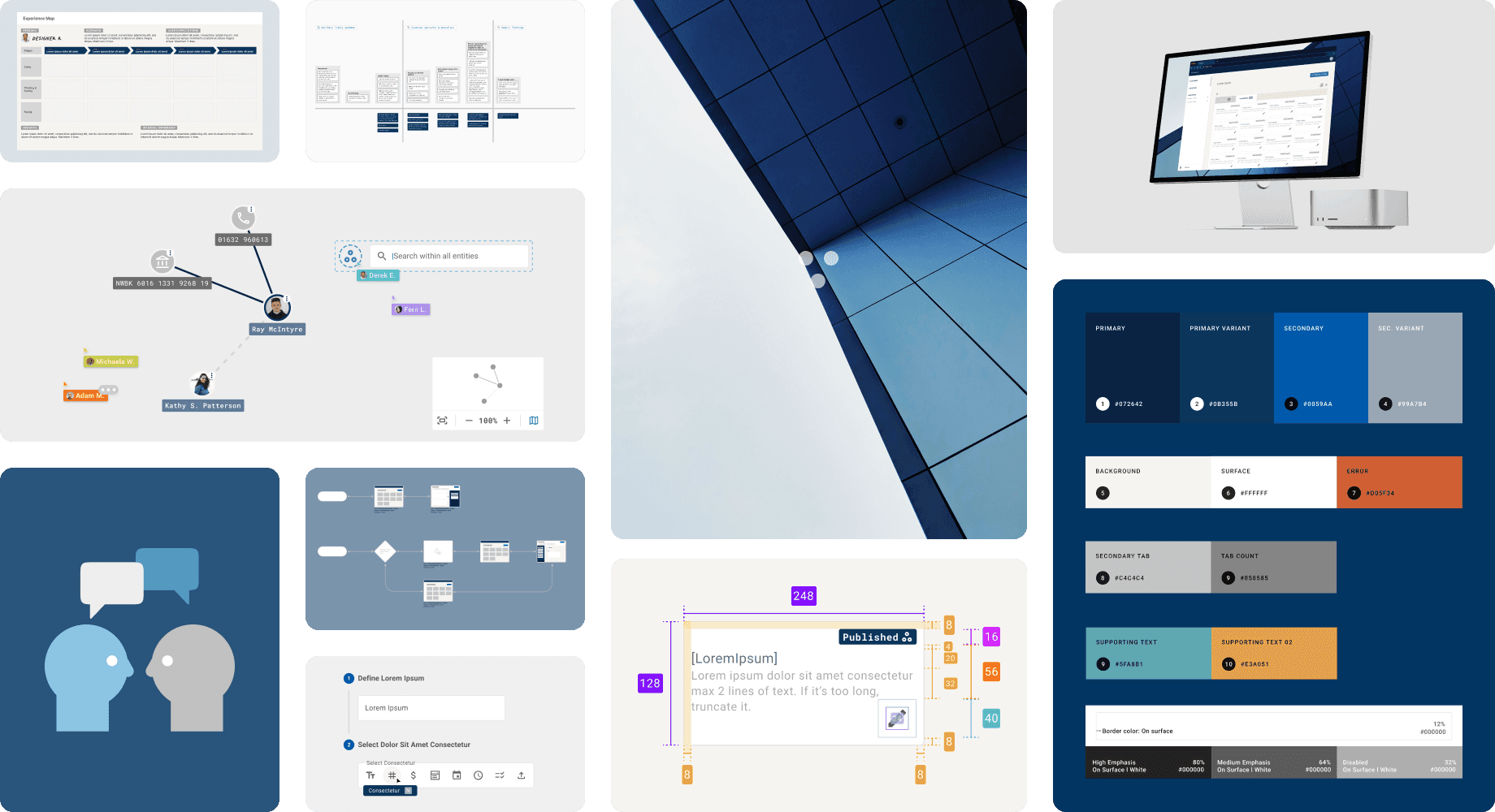
To ensure long-term scalability and developer alignment within a strict 6-month project delivery window, I leveraged Material Design as a foundational framework. By systematically adapting its core principles, I crafted a bespoke visual identity and tone of voice that bridged the gap between complex data management and a human-centric brand presence.
Design Rationale
Designing for Scalability & Identity: This strategic approach supported future product growth and established a distinct brand identity. By prioritising a "framework-first" methodology, I was able to deliver a human-centric user experience and a comprehensive design system within a tight timeline, ensuring a high-quality output without reinventing the wheel.
Operational Modernisation: Transitioning to a responsive, browser-agnostic workspace eliminated the infrastructure bottlenecks of the legacy system, all while reducing onboarding friction and improving deployment speed.
02
A Guided Workflow: Driving Designer Confidence through Intentional Friction and Visual Confirmation
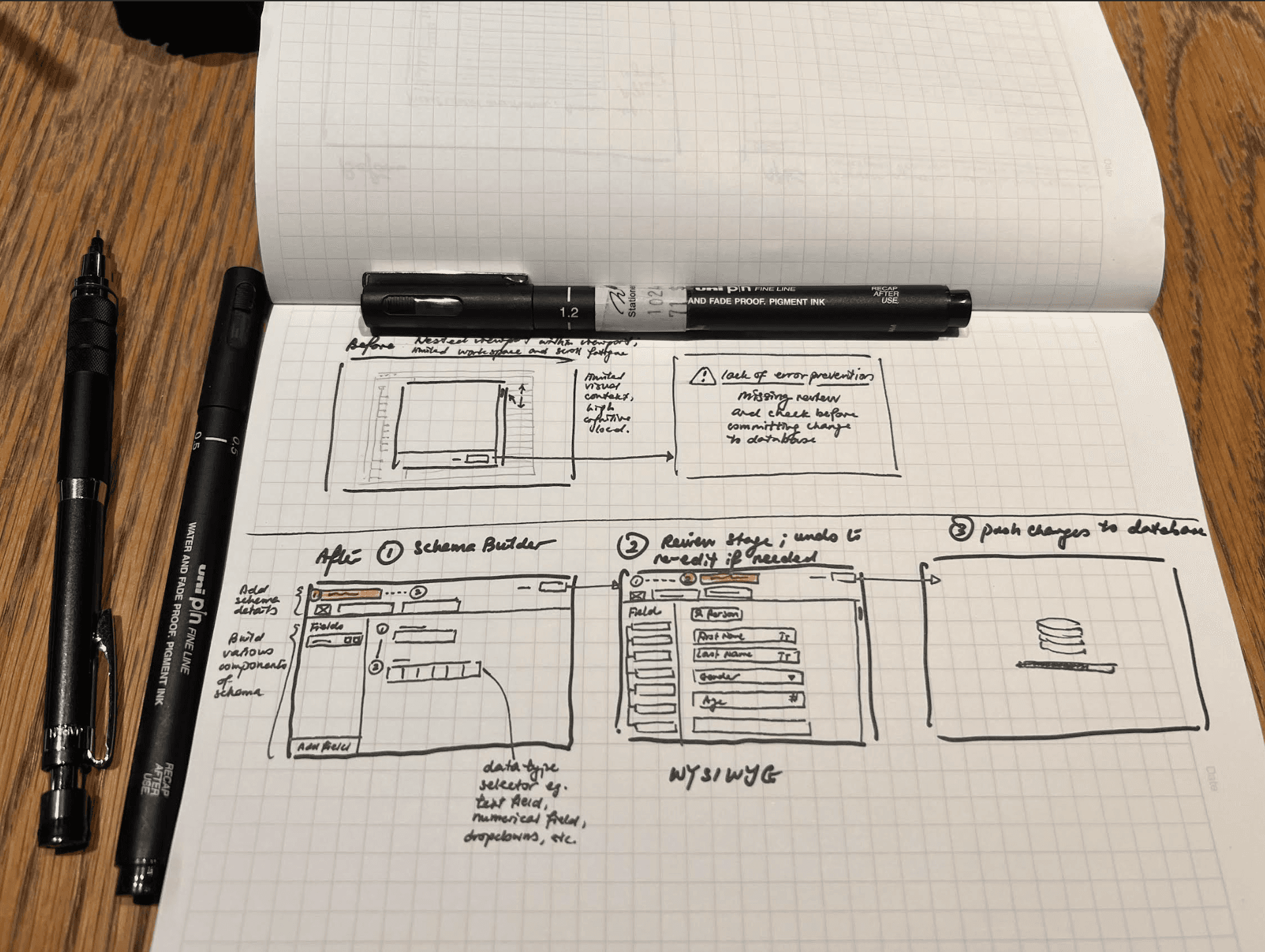
In the legacy environment, defining database entities was a fragmented process. Designers had to input fields via small, non-responsive popups that required constant scrolling in a small viewport.
Furthermore, once a change was committed, it was pushed directly to the database without a review stage. Because database alterations are often irreversible, this lack of "friction" created a high risk for catastrophic data errors.
Transformation: From Blind Entry to Guided Assembly
I redesigned the interaction model into a structured, two-stage workflow to replace the previous high-risk manual entry process. This "What You See Is What You Get" (WYSIWYG) approach ensures that schema designers have total clarity and confidence before any technical changes are finalised.
The workflow comprises two stages, indicated by a stepper UI with the ability to undo whenever required:
Stage 1: WYSIWYG Form Assembly of Schema Components
Designers are guided through defining field labels and selecting specific data types for each schema component. By using intuitive controls and layman-friendly terminology, this stage, designed to leverage familiar mental models of form assembly, lowers the technical barrier and minimises initial entry errors.
Stage 2: Validation Via Visual Confirmation
Before committing any changes to the live database, the system generates a high-fidelity preview using simulated data. This provides an element of a critical "quality-control layer," allowing designers to verify that the entity behaves and is well-structured as intended. Only after this visual confirmation can the user proceed to push the finalised schema to the database.
Impact
Although precise metrics are not available due to me leaving the company prior to any conclusive evaluations, the UX improvements implemented during my time at the company are estimated to have positively improved user engagement and satisfaction.
Operational Integrity to Reduce Accidental Errors: Intentional "speed bumps" in the user journey, requiring explicit WYSIWYG confirmation before committing database changes that are otherwise difficult or impossible to undo. The introduction of such a strategic friction seeks to reduce accidental errors, ensuring that every user action is deliberate and its impact on live records is clearly understood.
Building for Scalability and Continuity: Annotated the component library along with establishing brand guidelines that allowed the development team to maintain visual integrity independently after my contract ended.
Consistent, Intuitive Design Language: Developed a scalable component library and clear microcopy to ensure that even the most complex technical tasks feel familiar and predictable.
Reflections
Collaborating Together: Without a deep understanding of database operations, I teamed up with our in-house technical experts. This collaboration was crucial to grasp the nuances of database schema design and craft a solution that met both business and technical requirements as well as the needs of database schema designers effectively.
Intentional Friction as a Feature: Coming from a general UX background, the goal is usually to make everything as streamlined and fast as possible. In this particular context, however, I realised that "speed" can be dangerous. Designing for database architects forced me to rethink the value of intentional friction. Sometimes, a more optimal user experience is the one that stops you from making a mistake that is truly hard to undo.
Navigating Uncertainty: Facing a complete lack of direct user insights, the project demanded a proactive approach to navigate uncertainty. Working closely with the team, I relied on an iterative design process, continually refining and adapting the design as informed by internal feedback and secondary research.
Bringing UX to the Tech Table: Introducing UX principles to a tech-focused team was a unique opportunity. As the first and only Product Designer on the project, I shared key UX principles and best practices with a team primarily composed of developers and tech staff. This not only enhanced the project's interdisciplinary collaboration but also underscored the importance of integrating user experience insights into technical development.